Tutorials
Hands-on, build-something walkthroughs. Where the Developer Guide covers each tool and the SDK Reference documents every function, a tutorial takes you end to end — from an empty project to a working ENC app you can run.
Build a custom Personal app
The first tutorial builds a small custom Personal app on the
personal App SDK (@enc-protocol/personal-cli → PersonalSdk). You'll:
- run a node gated by an admission hook that admits only your owner identity, and mint your own Personal enclave from a manifest;
- write public posts and owner-only private notes, the public/private boundary enforced by the enclave's RBAC;
- run a hand-written dataview that projects public posts into a cross-enclave profiles feed;
- read it all from a real Vite + React frontend that signs through the ENC wallet extension — your key never touches the app.
By the end you'll have a personal micro-app — your own public posts and a private vault — backed by a verifiable enclave, with the wallet signing and the node enforcing RBAC.
Prerequisites
- Node 18+ and the SDK installed (
@enc-protocol/client). - Wrangler — the Cloudflare Workers CLI — used to run the node, the dataview, and the frontend
locally and to deploy them. Install it with
npm install -g wrangler(or call it vianpx wrangler), and confirm withwrangler --version. - The ENC wallet extension — the frontend in step 4 signs through it.
- A clone of
impl-node— the node you run in step 1.
It builds directly on the foundations from the Developer Guide — if you haven't yet, skim Building with the SDK first for the identity → enclave → submit/query → verify loop this tutorial puts to work.
The build, step by step
The six pieces you'll assemble — each numbered to the step that builds it:
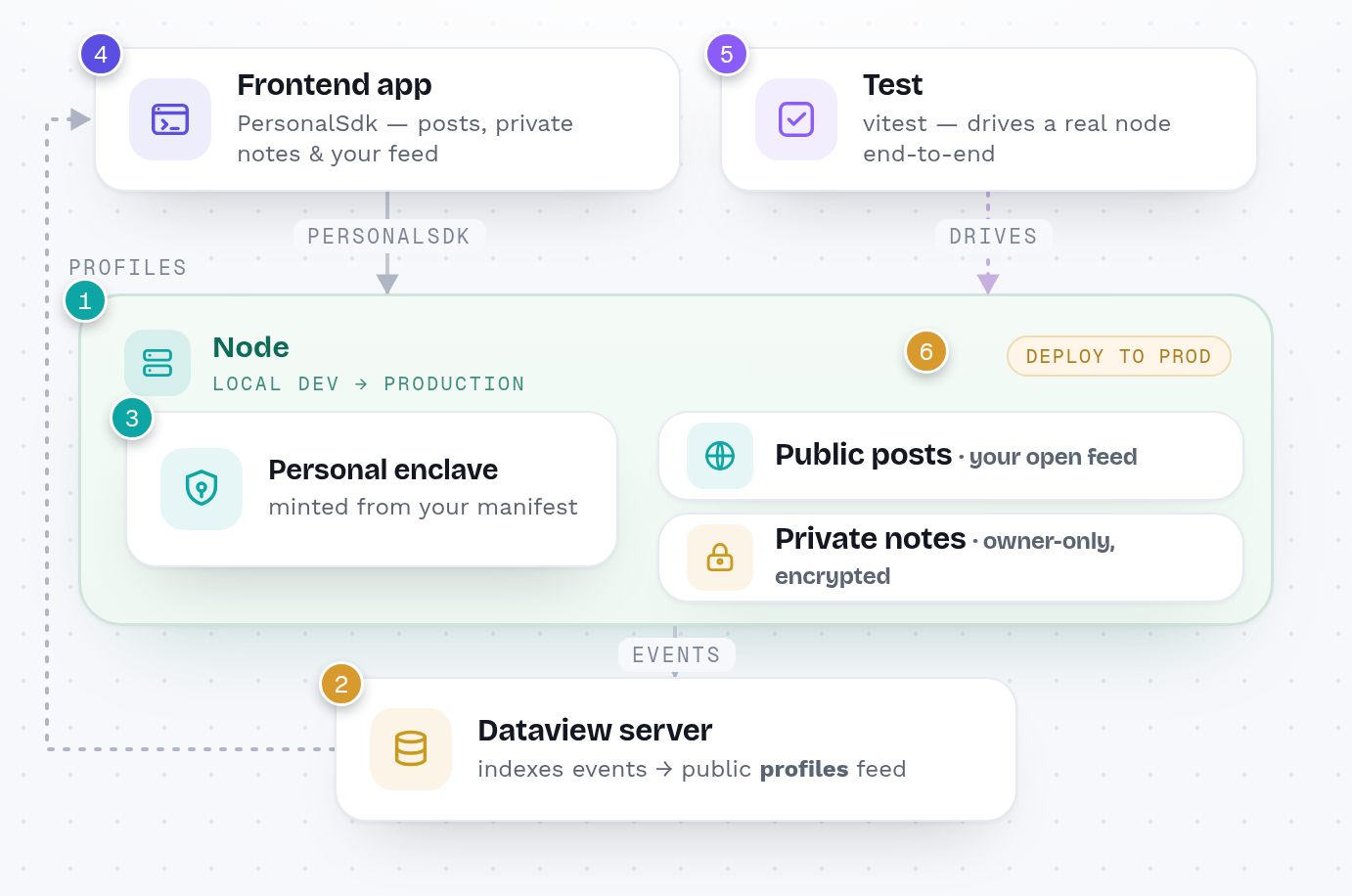
- Run a local node
- Run a dataview server
- Deploy the Personal enclave
- Write the frontend app
- Write a test
- Deploy to production